


Cybersecurity Best Tips for Small Businesses: (2026)
Introduction: Why is Cybersecurity Important for Small Businesses?
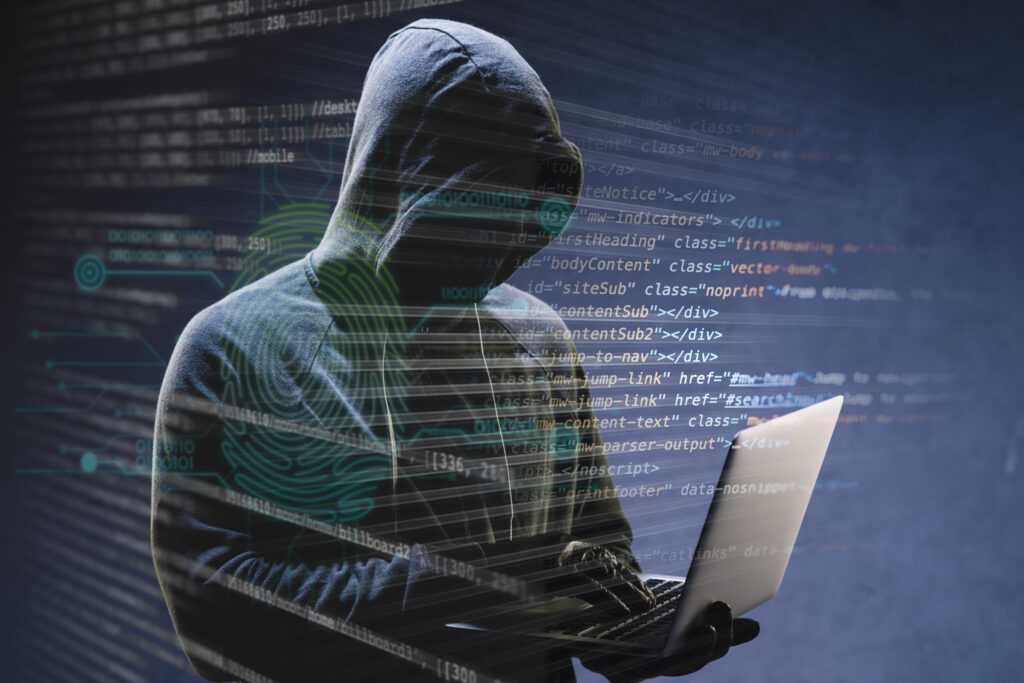
In today’s digital age, small businesses are not safe from cyber attacks. Previously, it was thought that hackers only targeted large companies or banks, but the reality is quite different now.
Today, more than 60% of cyber attacks target small businesses because their security is often weak.
Cybersecurity simply means:
Protecting your data, systems, customers, and business from online threats.
If you are a:
Small shop owner
Running a startup
Service-based business
Online store (eCommerce)
then this guide is very important for you.
In this article, we will understand in simple Hinglish:
What are cyber attacks?
Why do small businesses become targets?
What are the common threats?
Step-by-step cybersecurity tips
How to implement security on a low budget
What is cybersecurity?
Cybersecurity means:
Keeping computers secure
Protecting against internet-based attacks
Preventing data theft
This includes:
Password security
Network protection
Software updates
Employee awareness
Backup and recovery
Cybersecurity isn’t just about software; it’s a habit.
Why do hackers target small businesses?
Small businesses are easy targets for hackers. Why?
1. Weak Security Systems
Small companies usually:
Use free antivirus software
Ignore updates
Lack a proper firewall
2. Limited Budget
Large companies have security teams, but small businesses handle everything themselves.
3. Low Employee Awareness
Employees unknowingly:
Open fake emails
Click on malicious links
Use weak passwords
4. Valuable Customer Data
Even small shops have:
Customer phone numbers
Email addresses
Payment details
This data is valuable to hackers.
Common Cyber Threats For Small Businesses
1. Phishing Attacks
Phishing is a fake email or message that looks like it’s from a legitimate company.
Example:
“Your account will be blocked”
“Urgent invoice attached”
“Click here to verify payment”
As soon as someone opens the link, their data is stolen.
2. Malware & Virus Attacks
Malware is software that:
Slows down your system
Deletes files
Sends data to hackers
Downloading free software is the main cause of this.
3. Ransomware Attacks
In ransomware attacks:
Your data is locked
Hackers demand money
Payment is demanded to unlock the data
This is the most dangerous attack for small businesses.
4. Weak Password Attacks
If you are using:
123456
password
admin
Then it becomes very easy for hackers to break into your system.
5. Wi-Fi Network Attacks
With open or weak Wi-Fi networks:
Data can be leaked
Hackers can easily gain access
Especially in cafes, offices, and shops.
Cybersecurity Tips for Small Businesses (Step-by-Step)
1. Implement a Strong Password Policy
Password security is the most basic and important step.
What makes a strong password?
Minimum 12 characters
Capital + lowercase letters
Numbers + symbols
A different password for each account
❌ Wrong: business123
✅ Right: B!z@2026#Secure
Extra Tip:
Use a password manager
Change passwords every 3–6 months
2. Use Two-Factor Authentication (2FA)
2FA means:
Password + OTP
Password + mobile approval
Even if the password is leaked, login is not possible without the OTP.
Use 2FA for:
Email accounts
Banking apps
Admin panels
Cloud services
3. Regularly Update Software & Systems
Outdated software is an open gate for hackers.
Update:
Windows / macOS
Antivirus software
Browsers (Chrome, Edge)
Accounting & billing software
Keep the auto-update option ON.
4. Install Antivirus & Firewall
Free antivirus is fine to start with, but paid security is better for businesses.
Antivirus functions:
Blocking viruses
Detecting malware
Deleting suspicious files
Firewall functions:
Blocking unauthorized access
Keeping the network secure
5. Provide Employee Cybersecurity Training
Employees can be both the weakest link and the strongest shield.
Train employees to:
Not open unknown emails
Check attachments
Avoid suspicious links
Not use personal USB drives
A monthly 15-minute awareness session is usually enough.
6. Regularly Back Up Business Data
Backup means:
An extra copy of your data
Why is backup necessary? Data remains safe during a ransomware attack.
Recovery is easy in case of a system crash.
Backup options:
External hard drive
Cloud storage
Automatic scheduled backup
Follow the rule:
3-2-1 Backup Rule
3 copies
2 different storage
1 offsite backup
7. Set up a Secure Wi-Fi Network
For office Wi-Fi:
Use a strong password
Enable WPA3 encryption
Keep the guest network separate
Employees and customers should have separate Wi-Fi networks.
8. Create an Access Control System
Giving every employee access to all data is dangerous.
Follow the principle:
Need-to-know basis
Example:
Accountant → finance access
Sales team → customer data
Admin → full access
Revoke access for ex-employees immediately.
9. Improve Email Security
Email hacking is the most common problem.
Steps:
Keep spam filters ON
Block unknown senders
Use email encryption
Use a company domain email
Free Gmail can be risky for business.
10. Create an Incident Response Plan
If a cyber attack occurs, don’t panic, follow the plan.
The response plan should include:
How to detect an attack
How to isolate the system
Backup restoration process
Legal & IT support contacts
A prepared business suffers less loss.
Cybersecurity on Low Budget: Small Business Friendly Tips
Not every business has a big budget, but security is still possible.
Low-cost tips:
Free password managers
Built-in OS firewall
Awareness training
Cloud backups
Strong policies
Cybersecurity isn’t expensive, ignorance is.
Cybersecurity Mistakes That Small Businesses Make
Avoid these common mistakes:
“We’re a small business, hackers won’t target us.”
Using free, pirated software
Using the same password everywhere
Ignoring backups
Not training employees
These mistakes can shut down your business.
Cybersecurity Future Trends (2026)
In the coming years:
AI-based cyber attacks will increase
Ransomware will become more advanced
Cloud security will become even more important
Cyber insurance will become more popular
Therefore, strengthening your security now is a smart decision.
Summary: Cybersecurity is an investment, not an expense.
Cybersecurity is not an extra cost, but rather:
A business survival tool
It builds customer trust
It protects against legal issues
Implementing security today prevents losses tomorrow.
Small steps, but consistent practice = strong cybersecurity

AI Automation Services for Business | Complete Guide 2026
In today’s digital age, time, accuracy, and speed have become the biggest factors for business success.






1 Comment
[…] Cybersecurity Best Tips for Small Businesses: 2026 […]