

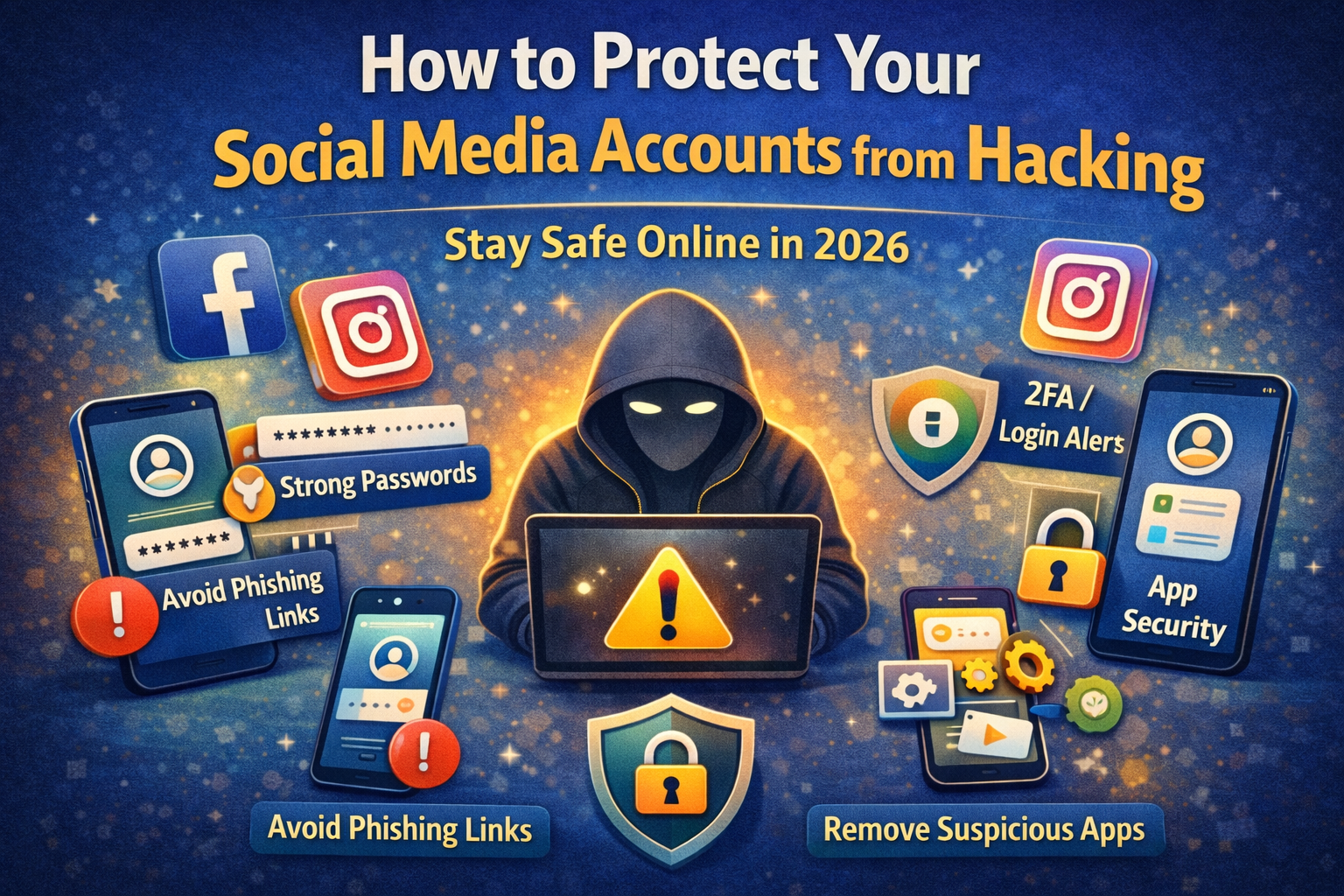
How to Protect Your Social Media Accounts from Hacking (Complete 2026 Guide)
How to Protect Your Social Media Accounts from Hacking
Social media is no longer just for entertainment.
Today, platforms like Instagram, Facebook, WhatsApp, and YouTube are used for:
- communication
- business
- earning money
- personal branding
That means:
If your account gets hacked, you can lose your data, money, and trust.
Many people think:
“My account is small, no one will hack me.”
But the truth is:
Hackers target weak accounts, not just big accounts.
The good news is:
You can protect your account easily by following the right steps.
Why Social Media Accounts Get Hacked
Most hacks happen because of simple mistakes, not advanced technology.
Common reasons
- clicking fake links
- weak passwords
- using same password everywhere
- sharing OTP
- using unsafe apps
- not enabling security settings
- Hackers don’t break systems — they trick people.
Real-World Example (Very Common Scenario)
Let’s understand with a real case:
A user receives a DM:
“Your Instagram account will be deleted due to copyright violation. Verify now.”
They click the link.
It looks like Instagram.
They enter:
- username
- password
But it’s a fake page.
Within minutes:
- password is changed
- email is changed
- followers get scam messages
Account gone.
Step-by-Step Guide to Protect Your Social Media Accounts
Now the most important part:
What should you actually do to protect your account?
Follow these steps in order.
Step 1: Use a Strong and Unique Password
This is your first defense.
Bad password examples
- 123456
- password123
- your name + year
- same password everywhere
Good password characteristics
- at least 10–12 characters
- mix of letters, numbers, symbols
- not used on any other account
Best practice
Every important account should have a different password.
Because if one gets leaked, others stay safe.
Step 2: Turn On Two-Factor Authentication (2FA)
This is the most powerful security feature.
What is 2FA?
Even if someone knows your password, they still need:
- OTP
- app approval
- device confirmation
Why it matters
Without 2FA:
Password = full access
With 2FA:
Password alone = useless
Best options
- authenticator apps
- trusted device approval
- backup codes
Real benefit
Even if you accidentally enter your password on a fake site, 2FA can stop the attacker.
Step 3: Never Click Suspicious Links (Biggest Mistake)
This is the #1 cause of hacking.
Common scam messages
- “Your account will be deleted”
- “You won a giveaway”
- “Check who viewed your profile”
- “Verify your account”
- “You got copyright strike”
Golden rule
Never login through links in DMs or emails.
Always:
- open official app
- type website manually
Step 4: Check Login Activity Regularly
Most platforms show:
- active devices
- login locations
- recent activity
Why this matters
You can detect unauthorized access early.
What to do
If you see:
- unknown device
- unknown location
Immediately:
- change password
- logout all devices
Step 5: Remove Unnecessary Third-Party App Access
Many users connect apps like:
- editing tools
- analytics tools
- growth apps
- auto followers
Problem
Some of these apps:
- misuse data
- access your account
- act as a backdoor
What to do
- remove apps you don’t use
- only allow trusted services
Step 6: Avoid Public Wi-Fi for Important Logins
Public Wi-Fi can be risky.
Examples
- cafes
- airports
- malls
Why risky
- network interception
- fake Wi-Fi hotspots
Best practice
- use mobile data for login
- avoid banking/social login on public networks
Step 7: Keep Your Phone and Apps Updated
Updates fix:
- bugs
- vulnerabilities
- security loopholes
Mistake people make
They ignore updates for months.
Reality
Outdated apps = easy target
What to do
- turn on auto update
- update apps regularly
Step 8: Enable Account Recovery Options
Always set:
- recovery email
- phone number
Why this matters
If your account gets hacked, recovery becomes easier.
Important tip
Make sure recovery email is also secure.
Step 9: Hide Sensitive Information from Profile
Don’t expose:
- phone number
- personal email
- address
- identity documents
Why this matters
Attackers use this information for:
- password guessing
- social engineering
- identity fraud
Step 10: Be Careful with OTP and Verification Codes
Never share:
- OTP
- login code
- verification message
Common scam
“Send me the code, I sent it by mistake”
This is fake.
OTP = account access key
Step 11: Lock Your Apps or Use Biometric Security
Use:
- fingerprint
- Face ID
- app lock
Why it matters
If someone gets your phone, they should not access your apps easily.
Step 12: Turn On Login Alerts
Most platforms notify you when:
- new device logs in
- unusual activity happens
Why important
You get early warning.
Action
Enable notifications for:
- login alerts
- security alerts
Step 13: Backup Your Account Data
Backup helps when:
- account is lost
- content is deleted
- device is damaged
What to backup
- photos
- videos
- contacts
- important messages
Step 14: Educate Yourself About New Scams
In 2026, scams are smarter:
- AI-generated messages
- fake verified profiles
- cloned websites
Best defense
Awareness
Always question:
- urgency
- emotional pressure
- “act now” messages
Step 15: Log Out from Shared or Public Devices
Never stay logged in on:
- cyber cafes
- office shared PCs
- friend’s devices
Always:
- logout manually
- clear browser
4. Check Login Activity
Regularly check:
- devices logged in
- locations
If you see something unknown:
- change password
- log out all devices
5. Remove Unknown Apps
Disconnect:
- unused apps
- suspicious tools
Only allow trusted apps.
6. Avoid Public Wi-Fi for Login
Public Wi-Fi can be unsafe.
Use:
- mobile data
- secure networks
7. Update Your Apps and Phone
Updates fix security problems.
Old apps = easy target
8. Set Recovery Email and Phone Number
This helps you recover your account if hacked.
9. Never Share OTP
OTP is like a key.
If you share OTP, you give access to your account.
10. Enable Login Alerts
Turn on notifications for:
- new login
- unusual activity
This helps you act quickly.
Real-Life Example
A user gets a message:
“Verify your Instagram account now”
They click the link and log in.
But it was a fake page.
Within minutes:
- password changed
- account hacked
Common Mistakes to Avoid
Avoid these at all cost:
- using same password everywhere
- ignoring security alerts
- clicking random links
- installing unknown apps
- sharing OTP
- not enabling 2FA
- trusting “too good to be true” offers
Quick Security Checklist
✔ Strong password
✔ 2FA enabled
✔ Login alerts ON
✔ Apps updated
✔ No suspicious links
Can small accounts get hacked?
Yes. Hackers target weak security, not just big accounts.
Is 2FA really necessary?
Yes. It is one of the strongest protections.
Can someone hack without password?
Yes, through phishing or session hijacking.
What is safest password method?
Use unique passwords for every account.
How often should I check security?
At least once a month.
Final Thoughts
Social media hacking is increasing every year.
But the truth is simple:
Most hacks are preventable.
If you:
- use strong passwords
- enable 2FA
- avoid suspicious links
- stay alert
you reduce your risk by a huge margin.
Remember:
Security is not a one-time setup — it is a habit.
The more careful you are, the safer your digital life becomes.
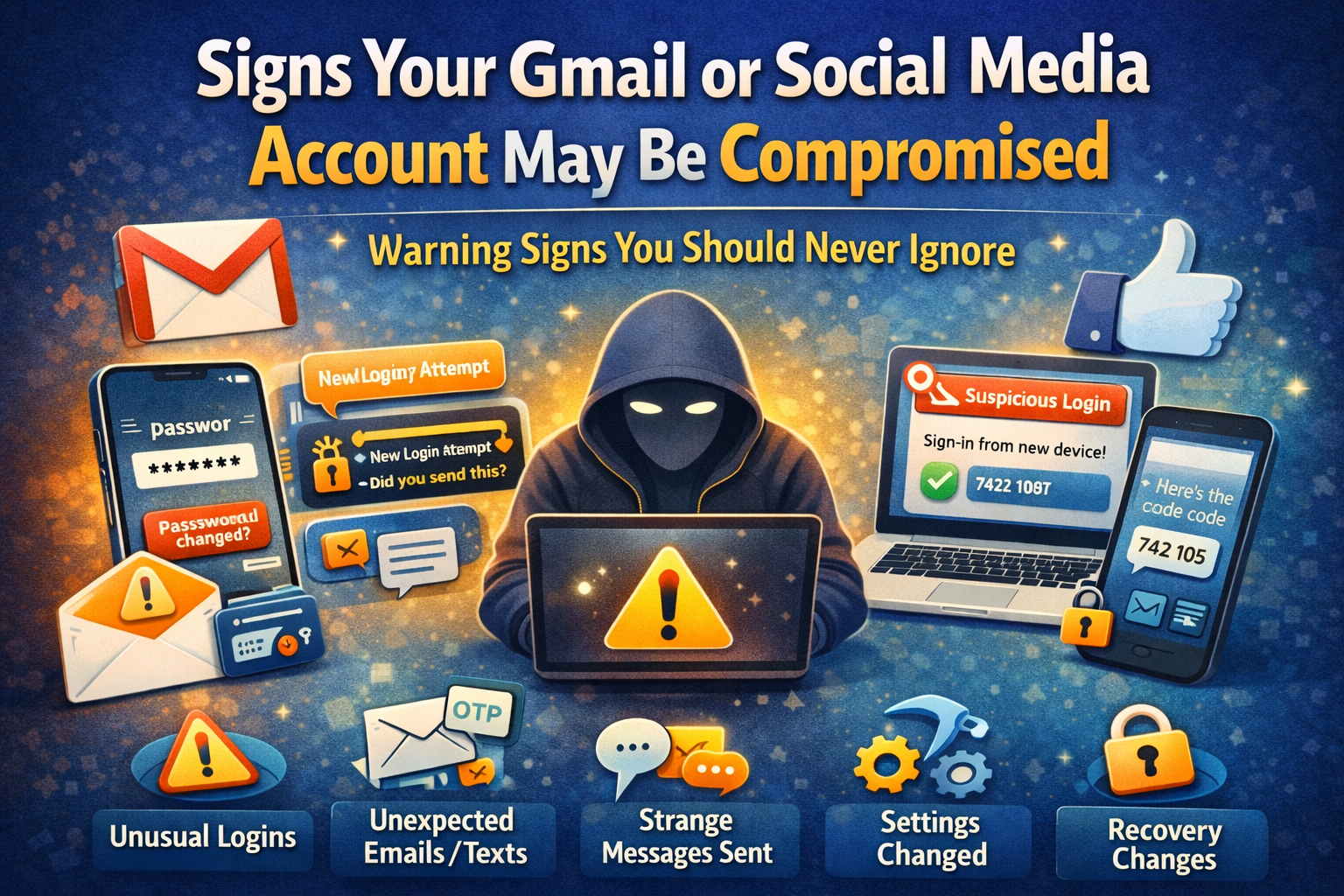
Your Gmail or Social Media Account May Be Hacked
Most people do not realize their account has been compromised until the damage has already started. Sometimes it begins with somethings




1 Comment
[…] How to Protect Your Social Media Accounts from Hacking […]