Best Way to Identify a Fake Website Before Entering Your Details
In today’s digital world, almost everything happens online.
You:
- shop online
- log in to accounts
- pay bills
- use banking apps
- sign up for services
But here’s the problem:
Not every website you visit is real.
Some websites are designed to look real but are actually fake.
These fake websites are created to:
- steal your passwords
- collect your personal data
- access your bank details
- scam you with fake offers
- install harmful software
And the most dangerous part?
Many fake websites look exactly like real ones.
Even smart users sometimes get fooled.
That’s why learning how to spot a fake website is not optional anymore.
It is a basic online survival skill in 2026.
What Is a Fake Website?
A fake website is a site created to imitate a real, trusted website.
It may look like:
- a banking site
- a shopping platform
- a social media login page
- a government portal
- a popular service
But its real goal is:
To trick you into entering your personal information.
Why Fake Websites Are So Dangerous
Once you enter your details on a fake website, attackers can:
- access your email
- reset your passwords
- steal money
- take over social media
- misuse your identity
The U.S. cybersecurity guidance notes that phishing websites are specifically designed to capture sensitive data like passwords and financial details by impersonating trusted services.
Real-World Example (Very Common Scam)
Let’s understand with a real situation.
You receive a message:
“Your bank account will be blocked. Verify now.”
You click the link.
The page looks exactly like your bank.
You enter:
- username
- password
- OTP
Within minutes:
- your account is accessed
- money is transferred
That’s how fake websites work.
Why People Fall for Fake Websites
Even careful users get tricked because:
- websites look professional
- logos are copied
- domain names look similar
- urgency creates panic
- messages feel real
- Fake websites don’t look fake anymore.
Step-by-Step Guide to Spot a Fake Website
Now the most important part:
How to identify a fake website BEFORE entering your details
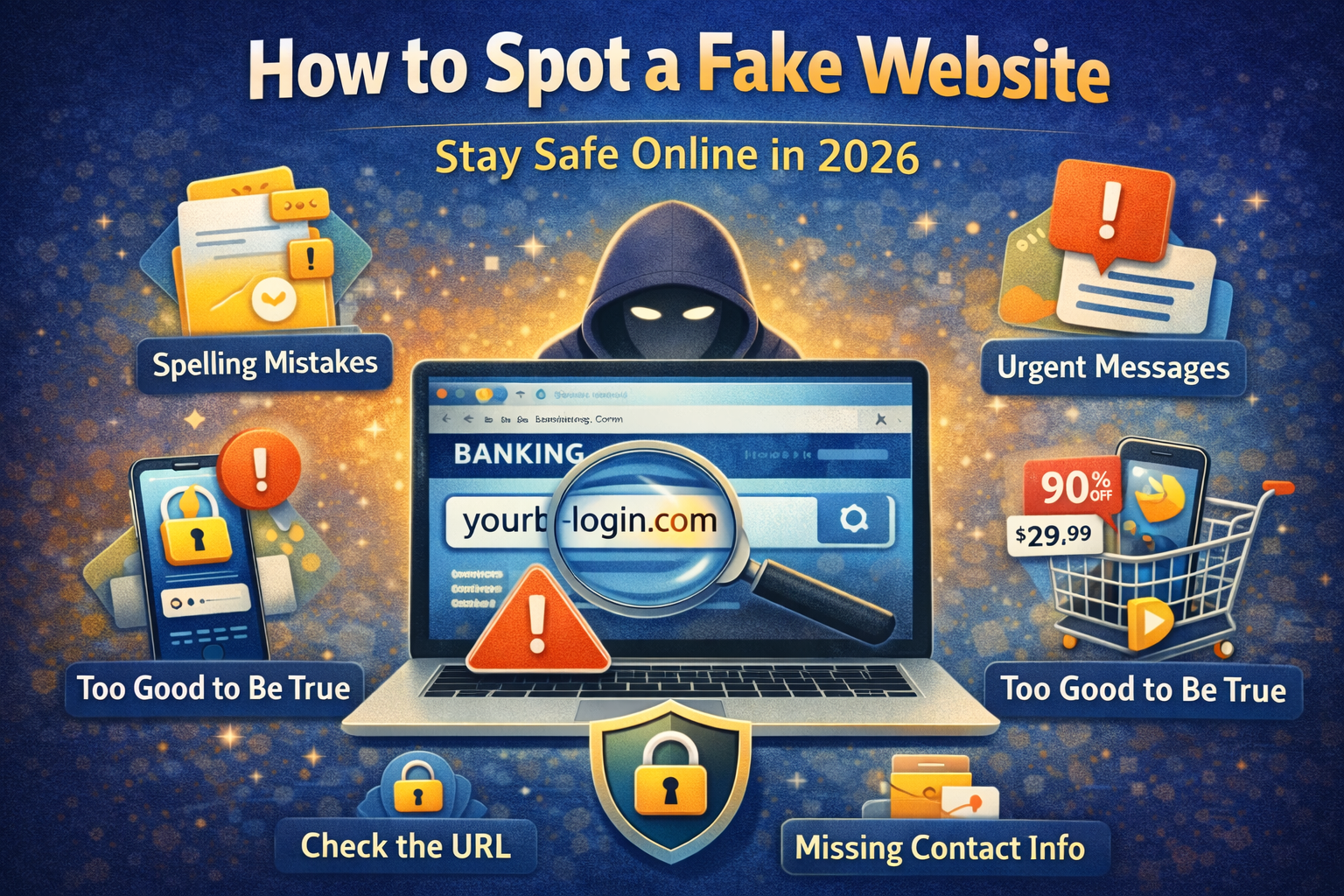
Step 1: Check the Website URL Carefully
This is the first and most important step.
What to look for
Fake websites often use:
- spelling mistakes
- extra letters
- numbers instead of letters
Examples
Real:
- amazon.com
Fake:
- amaz0n.com
- amazon-login.net
- amzon.shop
Golden rule
Always read the full URL, not just the logo.
Step 2: Look for HTTPS (But Don’t Trust It Fully)
Secure websites use:
- https://
- padlock icon
Important truth
HTTPS does NOT guarantee the site is real.
Even fake websites can use HTTPS.
So use this as a basic check, not final proof.
Step 3: Check the Domain Name (Very Important)
Look at the main domain.
Example
Fake:
- facebook-login-security.com
Real:
- facebook.com
Rule
If the domain is different, the site is fake — no matter how real it looks.
Step 4: Avoid Clicking Links from Messages
Most fake websites come from:
- SMS
- emails
- Instagram DMs
Common messages
- “Your account is suspended”
- “Verify now”
- “Limited time offer”
- “Click urgently”
Best practice
Never click login links from messages.
Instead:
- open the official app
- type website manually
Step 5: Check Website Design Quality
Fake websites often have small mistakes:
- poor design
- spelling errors
- broken links
- low-quality images
- incorrect formatting
But remember
Some fake sites are very professional.
So don’t rely only on design.
Step 6: Check Contact Information
A real website usually has:
- contact page
- address
- customer support
Fake websites often:
- hide contact info
- show fake details
Tip
If no proper contact info → be careful
Step 7: Look for Urgency and Pressure
Fake websites often use pressure like:
- “Act now”
- “Offer expires in 5 minutes”
- “Account will be blocked”
- “Last chance”
Why
Because panic makes people act fast.
Rule
Urgency = red flag
Step 8: Check for Too Good to Be True Offers
Examples:
- iPhone for ₹999
- 90% discount
- free giveaways
Reality
If it looks too good to be true, it probably is.
Step 9: Check Reviews Before Trusting a Website
Search:
- website name + review
- website name + scam
What to look for
- complaints
- warnings
- negative reviews
Step 10: Check for Secure Payment Methods
Fake websites often:
- ask for direct bank transfer
- avoid trusted payment options
Safe methods
- trusted payment gateways
- verified checkout
Step 11: Look at Website Age (Advanced Tip)
New websites are riskier.
You can check:
- when the domain was created
Rule
Very new + unknown website = caution
Step 12: Check for Fake Login Pages
Fake login pages are the most dangerous.
They copy:
- Gmail
How to identify
- URL is different
- opened through random link
Best practice
Always login through official app.
Step 13: Avoid Downloading Files from Unknown Sites
Fake sites may offer:
- APK files
- software
- tools
These can contain:
- malware
- spyware
Step 14: Use Browser Warnings
Modern browsers warn about:
- unsafe websites
- phishing pages
Rule
Never ignore browser warnings.
Step 15: Trust Your Instinct
If something feels:
- strange
- rushed
- confusing
Stop.
Your instinct is often right.
Common Types of Fake Websites
1. Fake Shopping Sites
Cheap products, no delivery.
2. Fake Banking Pages
Steal login + OTP.
3. Fake Login Pages
Copy social media.
4. Fake Giveaway Pages
Collect data.
5. Fake Job Sites
Ask for fees.
What To Do If You Entered Details on a Fake Website
Act fast.
Step 1
Change password immediately
Step 2
Enable 2FA
Step 3
Check account activity
Step 4
Contact bank (if payment info shared)
Step 5
Scan your device
Step 6
Inform others if needed
Quick Safety Checklist
✔ Check URL
✔ Avoid suspicious links
✔ Don’t trust urgency
✔ Verify website
✔ Use 2FA
✔ Check reviews
Best Habits to Stay Safe Online
- think before clicking
- double-check links
- avoid panic actions
- stay updated
- verify before trusting
Can fake websites look real?
Yes, many look exactly like real websites.
Is HTTPS enough to trust a site?
No. It only means connection is secure, not the website.
What is the biggest red flag?
Wrong URL or domain name.
What should I do if I clicked a fake link?
Don’t enter details. Close it immediately.
Final Thoughts
Fake websites are increasing every year.
But the solution is simple:
Slow down and verify before you trust.
If you:
- check URL
- avoid unknown links
- stay alert
you can avoid most scams.
Remember:
One careful check can save your data, money, and identity.
How to Protect Your Social Media Accounts from Hacking
Social media is no longer just for entertainment. Today, platforms like Instagram, Facebook,